Workflow accuracy
Practise patient, prescriber, medicine, directions, quantity, repeat and label checks in one connected workflow.
Work through fictional patient scenarios, make explicit safety decisions and review immediate, check-by-check feedback.
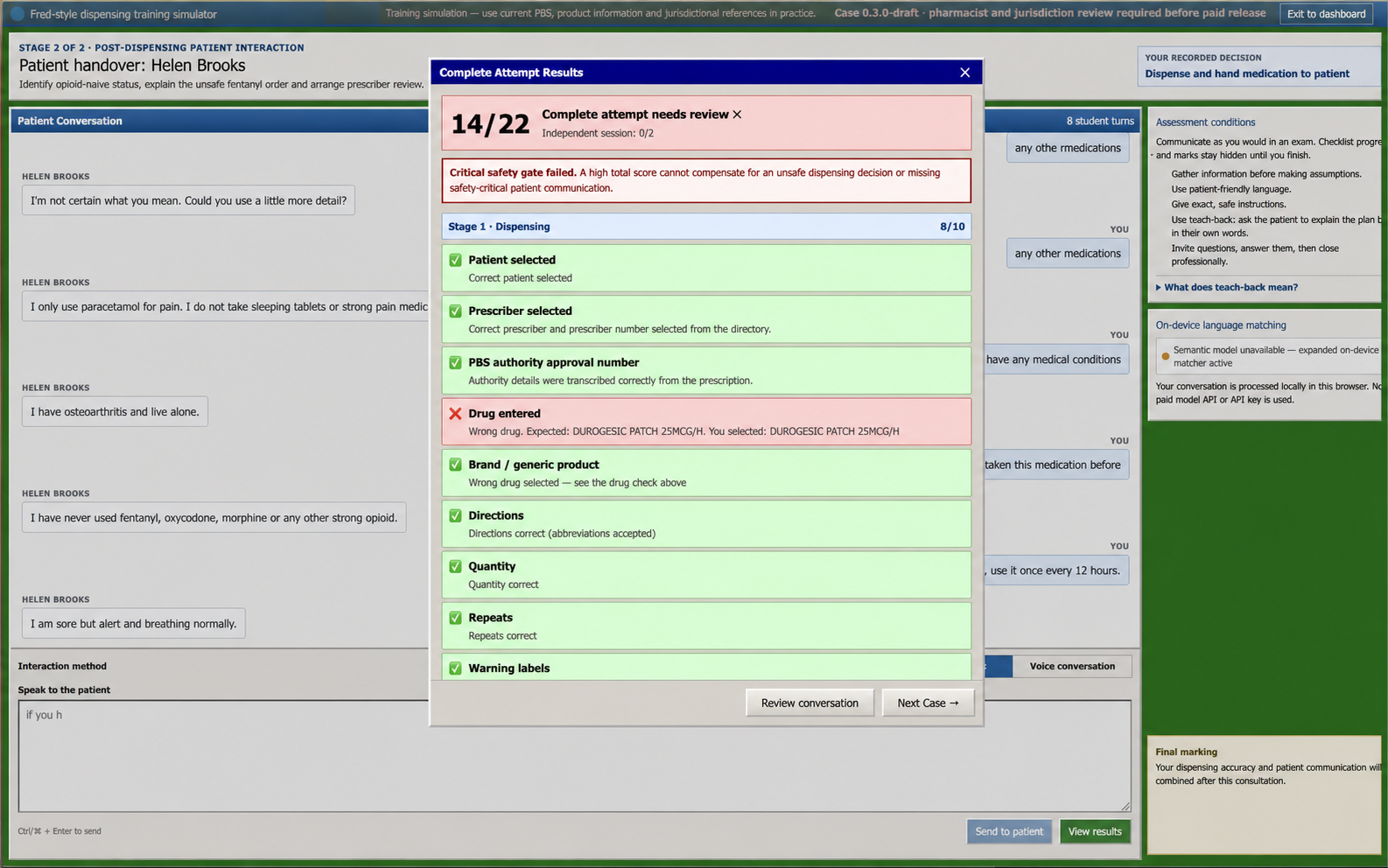
Check-by-check feedback
Safety gates stay visible even when the total score is high. Tap or click to enlarge.
Beta preview · fictional data
What you practise
Work through complete fictional cases, receive immediate feedback and learn why a decision passed or failed each safety gate.
Practise patient, prescriber, medicine, directions, quantity, repeat and label checks in one connected workflow.
Decide whether to dispense, hold and clarify, or refuse supply, with critical errors treated as genuine safety gates.
Explain your reasoning to a simulated patient and review the specific topics your response covered or missed.
Draft cases are maintained by the DispenseRx Practice operator. No pharmacist or jurisdiction reviewer identity is published because approval has not yet been recorded.
Each case has versioned sources, a content date and a review record. A source change triggers re-review before the affected content can be treated as paid-release ready.
Feedback checks only the defined fictional case workflow and counselling topics. It does not certify competence, placement readiness or legal compliance.
The 13-case source register was last updated 19 Sept 2026 for a Victorian training context. Pharmacist and jurisdiction approvals are still recorded as required, so production paid checkout remains blocked (39 review records outstanding). DispenseRx Practice is independent of Fred IT and does not assess clinical competence or replace current product, PBS, legal, university or supervisor guidance.
Representative coverage
The library combines workflow transcription, explicit clinical decisions, immediate feedback and counselling practice.
Patient and prescriber entry, product selection, directions, quantities, repeats, labels and warning statements.
Authority, Schedule 8, high-risk medicine, repeat-timing and prescription-authentication decisions.
A simulated conversation follows every case, with topic-level feedback and unsafe-advice checks.
No download is required. The detailed simulator is intentionally optimised for laptop and desktop browsers.
No setup, no software to install. Just open your browser and start practising.
Create an account with no card and practise 2 of 13 cases. Free access never converts automatically.
Select the patient and product, complete the label and warnings, then make an explicit clinical decision.
Review every scoring check and critical failure. Revealed-answer attempts are clearly marked as assisted and excluded from the session score.
Try 2 of 13 cases free. No card required. Choose a billing period only when you are ready for the full library.
Free access
Free
No payment details
Full access
Billed each month
Full library access with the same features on both billing periods. Cancel in Stripe; access continues to the period end.
Full access is not open yet. Try the free cases while clinical and launch reviews are completed.
Subscriptions renew automatically until cancelled. Manage payment details or cancel in the Stripe customer portal; cancellation takes effect at the end of the paid billing period. Any applicable tax is shown before payment. Accepted payment methods are shown securely by Stripe at checkout. See the refund and cancellation policy.
Paid production checkout stays closed until the published clinical, legal and support readiness gates are complete. Annual access covers the current library and does not promise an unannounced case-release cadence.
You can practise 2 of 13 cases with full scoring and counselling feedback. No card is required and the free access does not automatically convert to a subscription.
No. DispenseRx Practice is an independent training simulator. It is not affiliated with, endorsed by or connected to Fred IT Group Pty Ltd. Fred Dispense is a trademark of Fred IT Group Pty Ltd.
The simulator covers patient and medicine selection, directions, quantity, repeats, warning labels, physical assembly for the foundation case, explicit safety decisions and patient counselling. It does not reproduce every production-system feature and must not be treated as an exact replica.
It checks the information and safety decisions defined in each fictional case and reports missed counselling topics. It does not certify clinical competence, placement readiness or legal compliance.
No. Use current product information, PBS listings, legislation, university guidance and supervisor feedback for real decisions. The source register is versioned, but clinical and jurisdiction review must be completed before paid production release.
It is designed for Australian pharmacy students, postgraduate students, intern pharmacists and internationally qualified pharmacists who want structured workflow practice before supervised work or assessment.
The marketing site and account flow work on mobile. The detailed simulator is intentionally designed for a laptop or desktop browser and requires no download.